Real product screen
Search begins as the library is prepared.
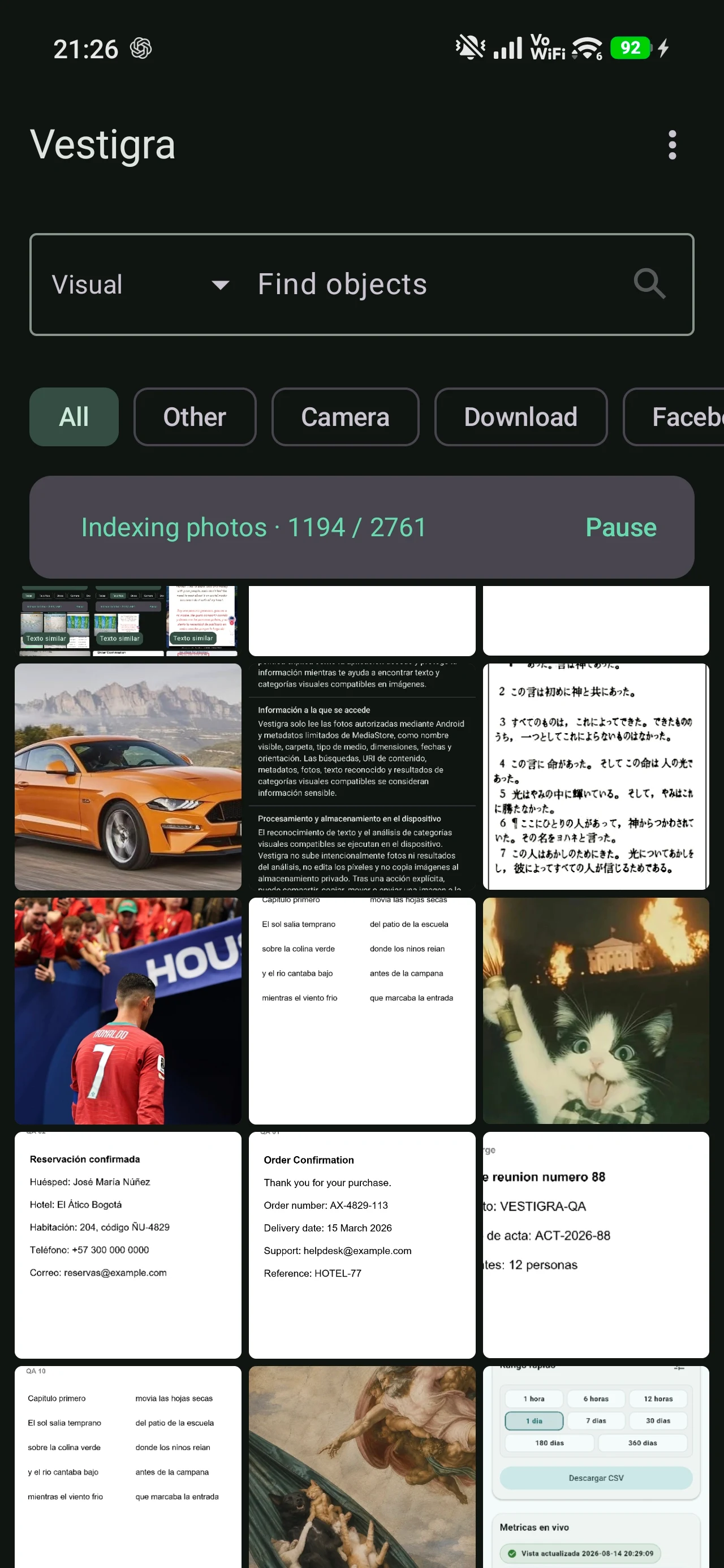
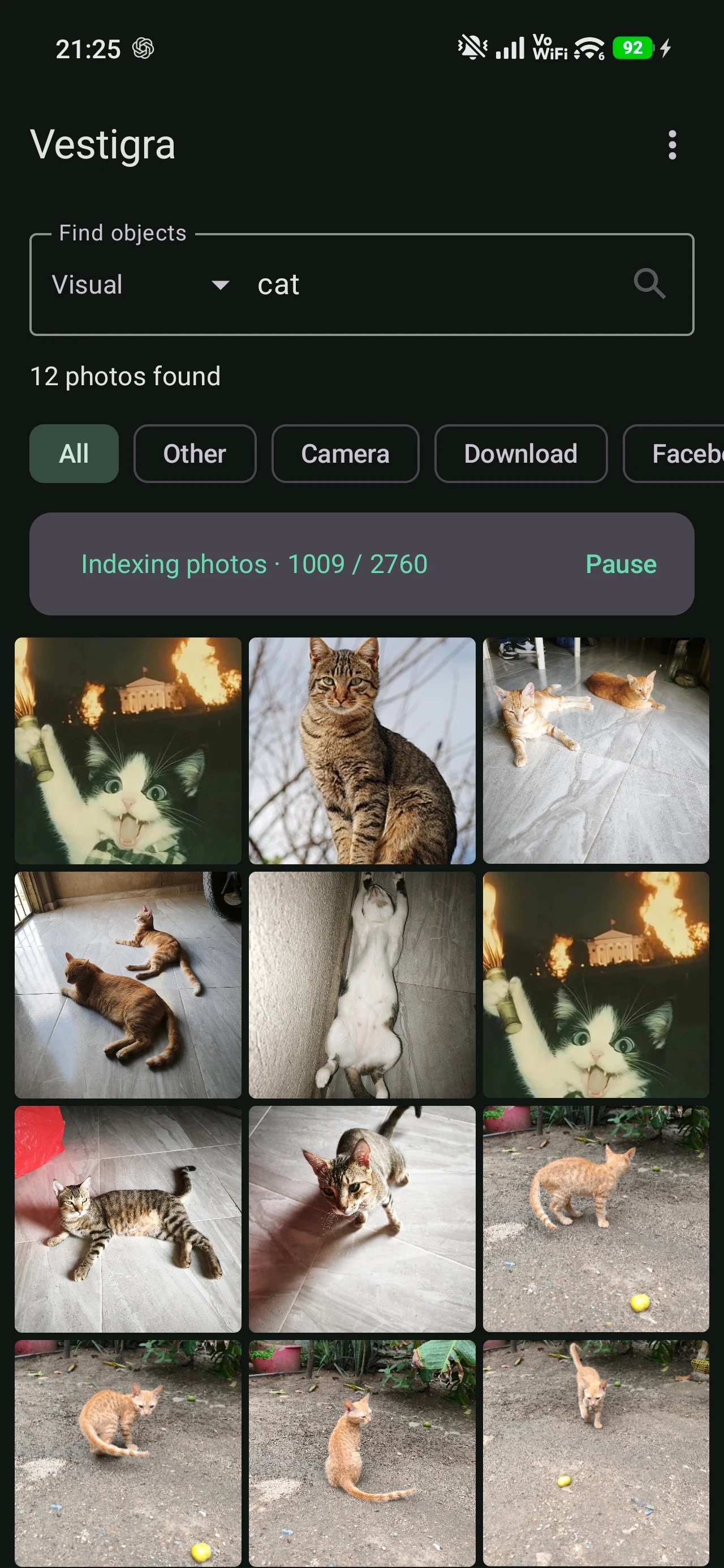
Vestigra shows progress while it indexes photographs. Each image keeps its own view and can be processed again when needed.
A more useful way to explore your photos
Vestigra uses recognized text and selected supported visual elements to help you find images within your library.
The real product
These real product screens show how Vestigra prepares a library and turns recognized information into practical ways back to an image.
Vestigra shows progress while it indexes photographs. Each image keeps its own view and can be processed again when needed.
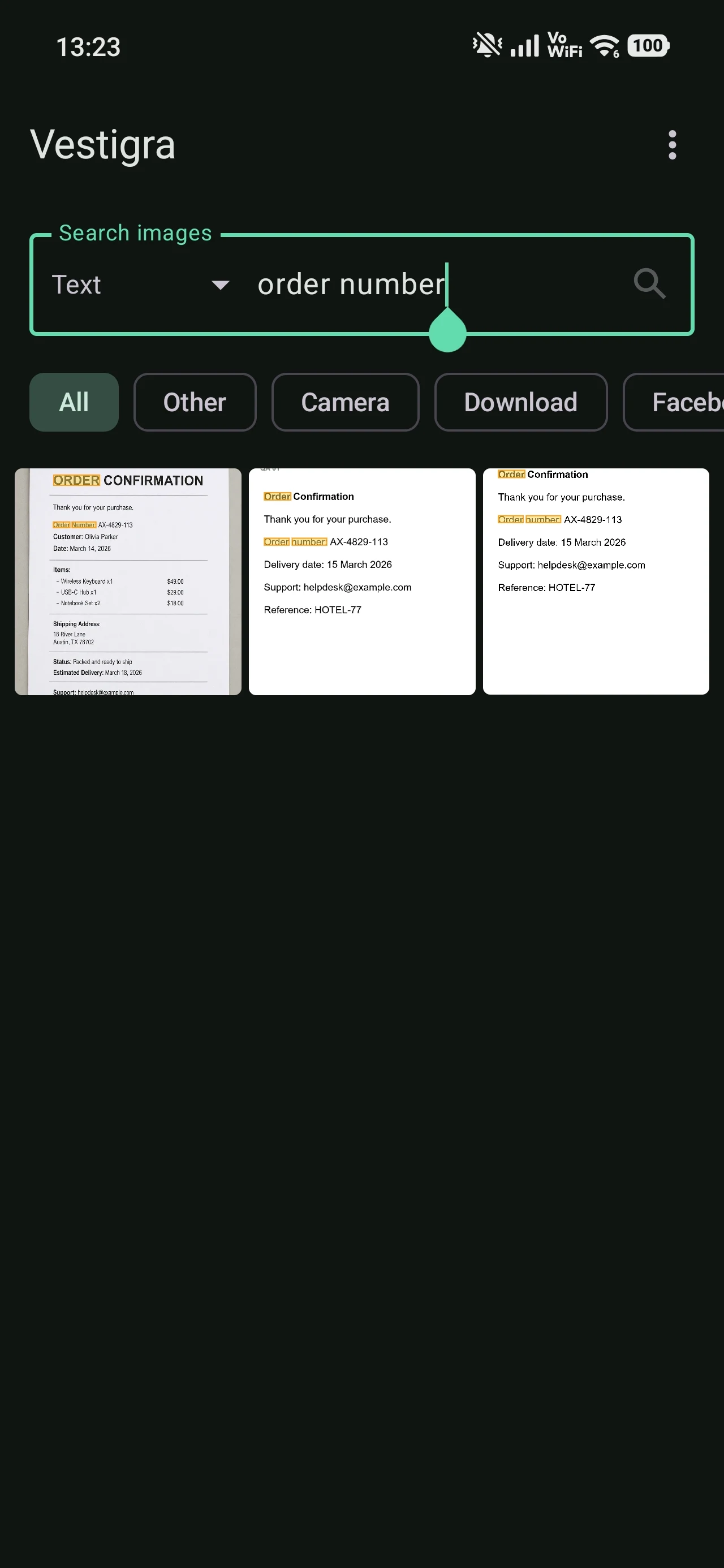
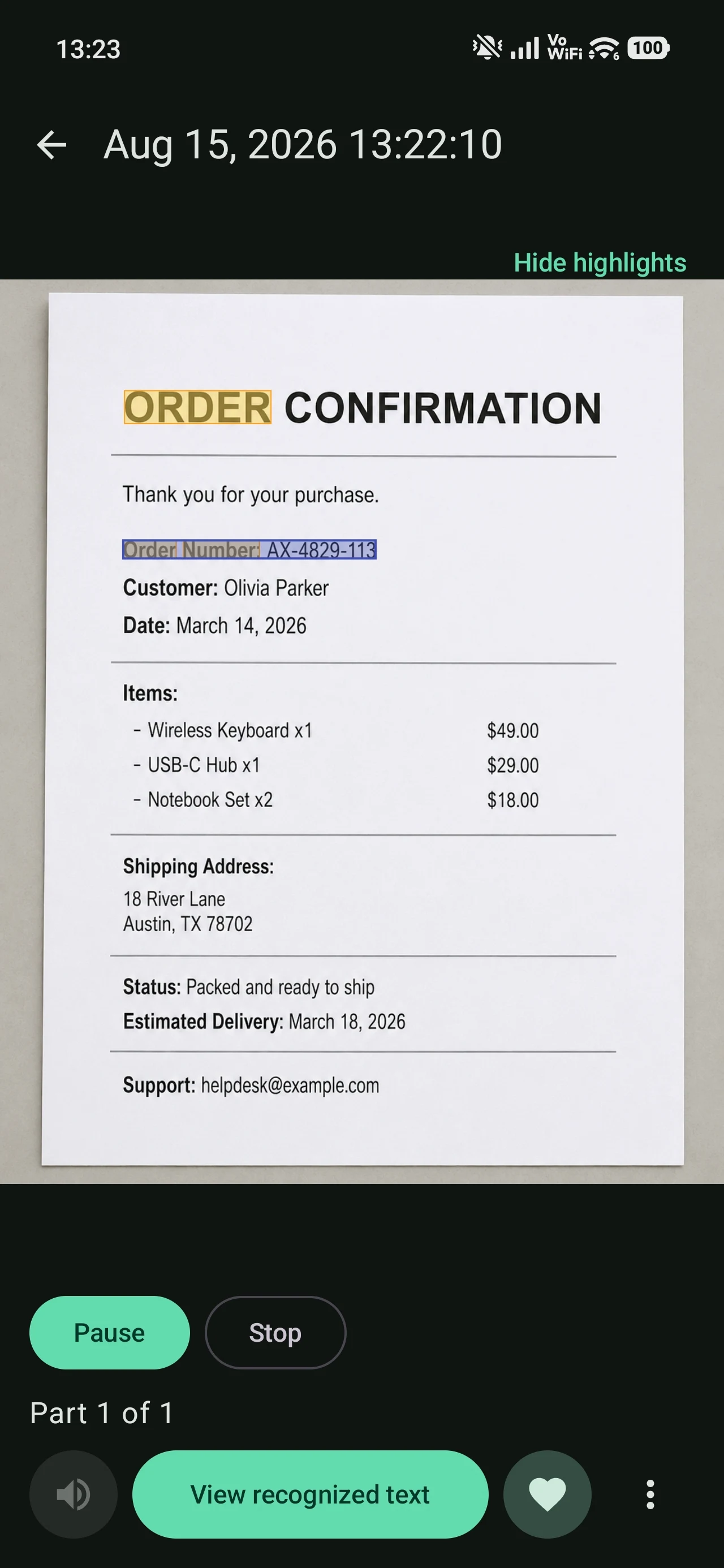
The “order number” query finds occurrences in recognized text and opens the corresponding photograph with that match highlighted.
Real queryorder number
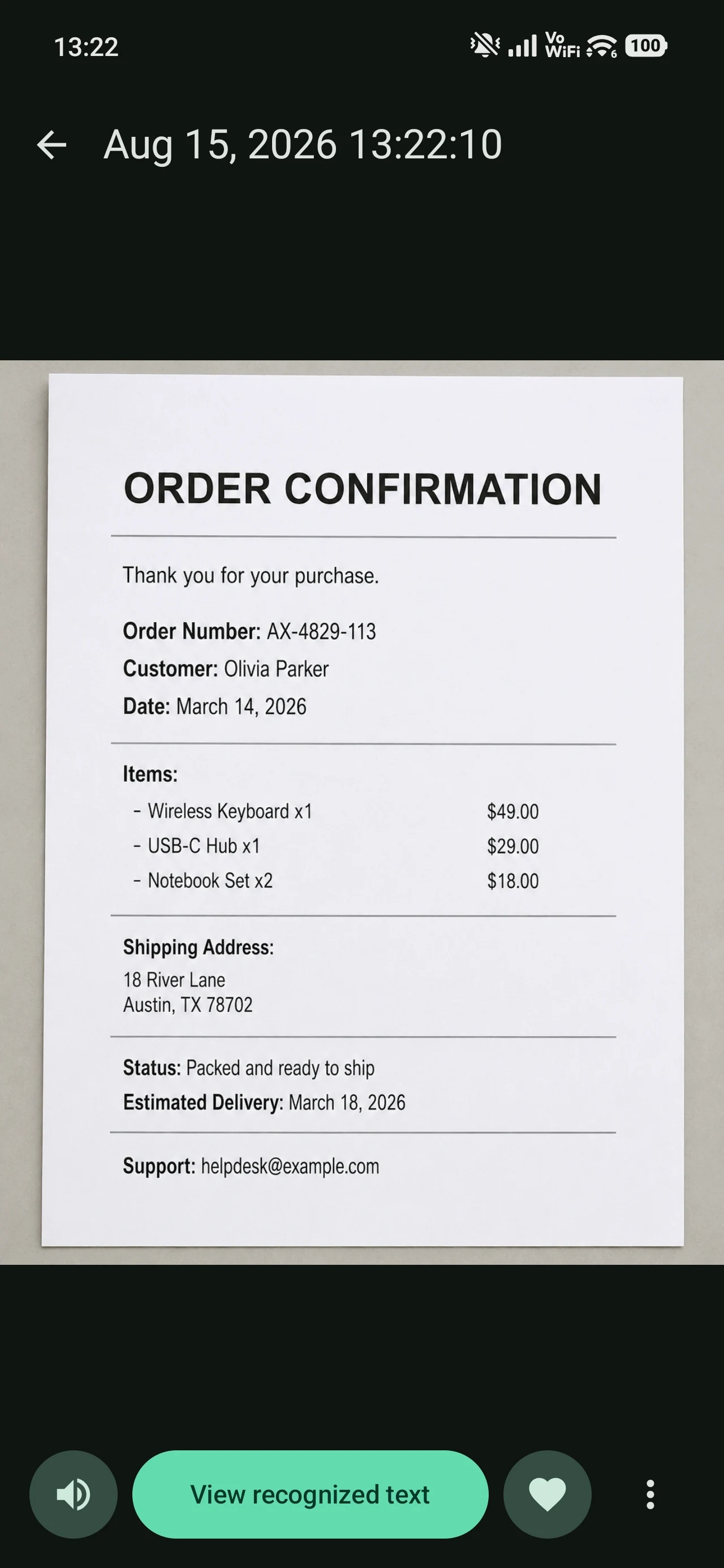
Vestigra presents extracted text in an editable view so it can be reviewed and used as a search signal.
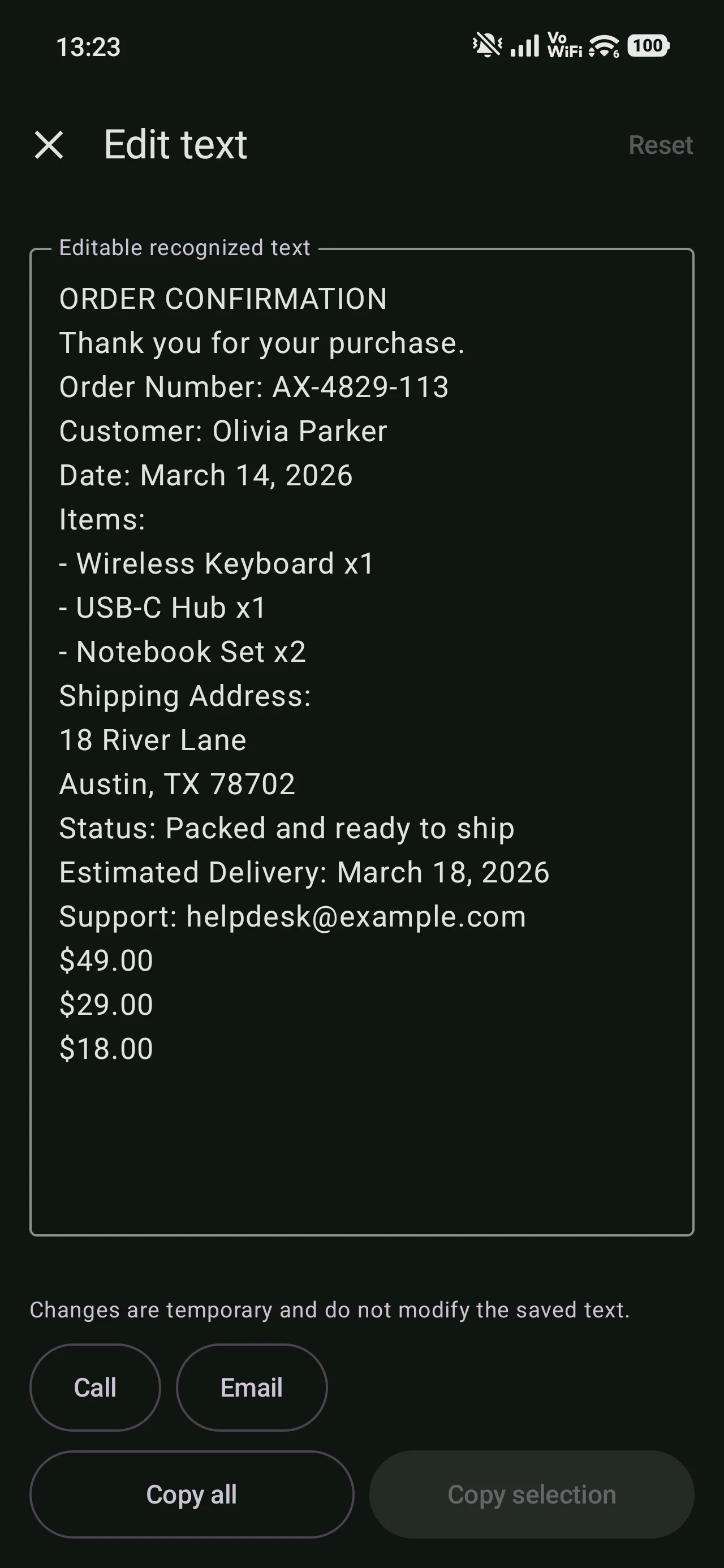
The voice-reading view provides direct controls to pause or stop playback of recognized text.
In this example, the “cat” query gathers photographs associated with a supported visual category while the library continues indexing.
Real querycat
What Vestigra can use
Search can draw on information inside images, not only when they were taken or how their files were named.
OCR / text
Recognized text can help retrieve an image from words you remember seeing.
Supported visual element
Vestigra can identify elements from a defined list and turn that information into a search signal.
Photo library
Explore the visual content of your library beyond filenames and dates.
How it works
Vestigra reviews photographs on your device to prepare useful search information. For large libraries, this process can take several minutes.
It extracts text and selected supported visual elements found within images.
Use that information to find photographs related to your query.
Return to what matters
Discover a search experience designed to look inside the library, not only around it.
Check availability